SCModbus 3.0 — Desktop Modbus Testing Tool
A desktop GUI application for testing Modbus communications quickly and intuitively. Connect as a Master or simulate a Slave device — over TCP or serial RTU — without writing a single line of code. Built for commissioning, diagnostics, integration testing, and register mapping.
Windows SmartScreen notice
Windows may show a SmartScreen warning because the executable is not yet code-signed. Extract the ZIP, right-click the EXE → Properties → check Unblock → OK, then run it. The software is safe — built entirely in Python and open for inspection.

What is SCModbus 3.0?
SCModbus 3.0 is a standalone desktop application that lets engineers, developers, and technicians test Modbus TCP and RTU communications from a clean graphical interface. Whether you need to poll a PLC, simulate a sensor, or verify register mapping, SCModbus covers it all — with no code required.
Master Page: Connect, Read & Write
The Master page is the command center for acting as a Modbus client. Configure the connection, read any register block, and write single or multiple values with precision.
TCP & RTU Connection Setup
Select between Modbus TCP and RTU from a single dropdown. TCP requires only an IP address and port; RTU exposes serial parameters (COM port, baud rate, parity, stop bits) and Slave ID.
- Protocol selector: TCP or RTU (Serial)
- Live status: OFFLINE / CONNECTED / FAILED
- Configurable Slave ID for multi-drop RTU networks
- One-click Connect / Disconnect buttons

Three Reading Modes
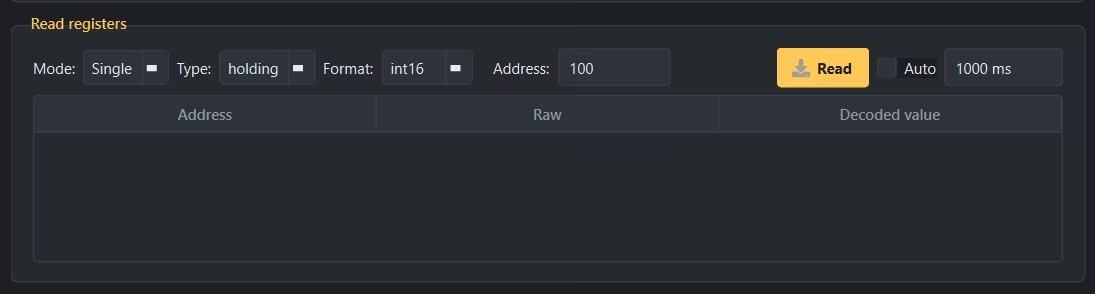
Choose how to query a device: read a single address, scan a range from start to end, or dump an entire register block. All four Modbus areas are supported.
- Single — read one address, auto-adjusts for 32-bit formats
- Range — read from address A to address B
- All — dump a full block starting at address 0
- Register types:
holding,input,coil,discrete - Output table: Address | Raw | Decoded Value
Single & Multi-Write
Write a single value to any holding or coil register instantly, or build a multi-write table to send a complete set of parameters in one sequential operation.
- Single write: address, format, value, manual or cyclic
- Multi-write table: add rows, each with own address & format
- Execute all rows in sequence with a single button
- Coil values automatically interpreted as boolean

Supported Data Formats
SCModbus decodes register values into five numeric types. For 32-bit formats, the byte order and word order configured in Settings are applied automatically.
| Format | Registers used | Range | Notes |
|---|---|---|---|
int16 |
1 register | −32 768 … 32 767 | Signed 16-bit integer |
uint16 |
1 register | 0 … 65 535 | Unsigned 16-bit integer |
int32 |
2 registers | −2 147 483 648 … 2 147 483 647 | Byte & word order applied |
uint32 |
2 registers | 0 … 4 294 967 295 | Byte & word order applied |
float32 |
2 registers | IEEE 754 single precision | Byte & word order applied |
Slave Page: Simulate a Modbus Device
Run SCModbus as a local Modbus server. Simulate a PLC, sensor, or any Modbus-speaking device. Monitor every register write that arrives from a remote Master in real time.
Start a TCP or RTU Server in Seconds
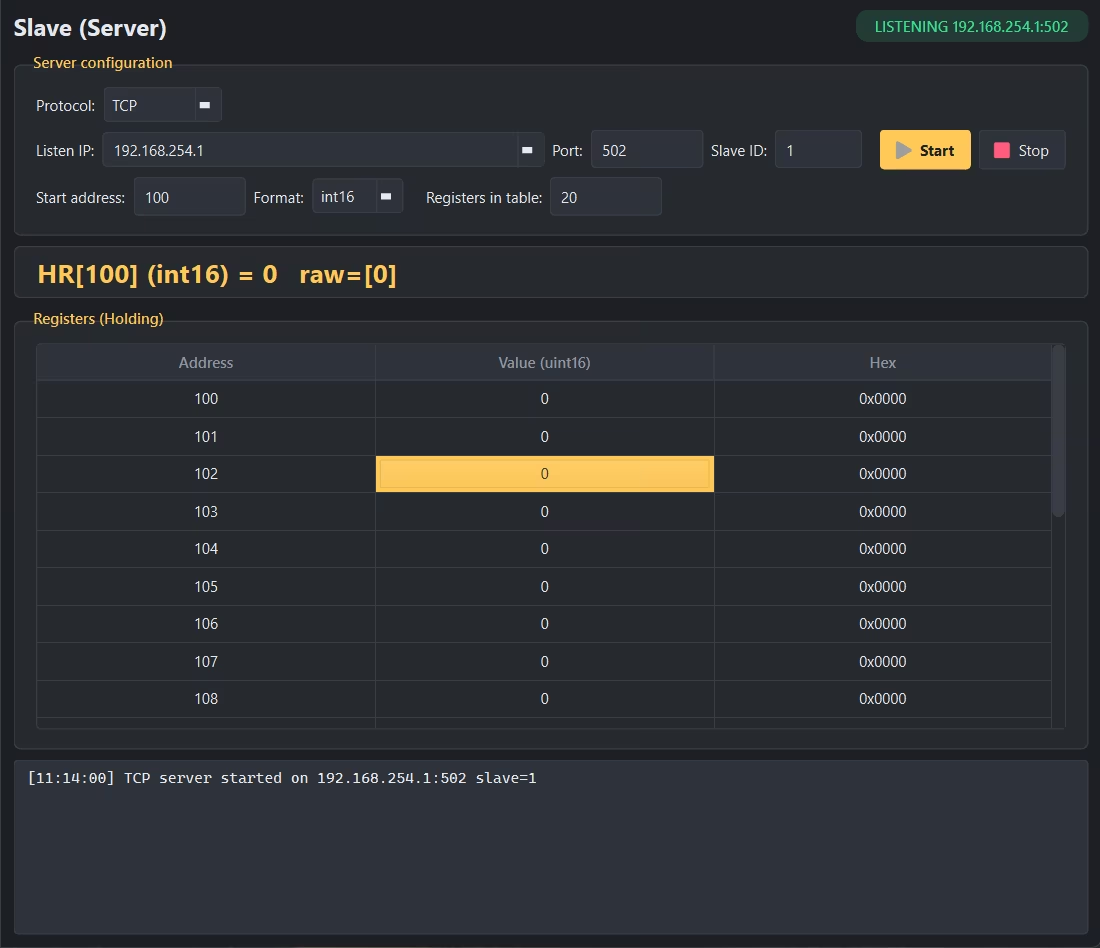
Configure the listening address, port, and Slave ID, then hit Start. The tool initialises all four Modbus memory areas (holding, input, coil, discrete) with 1 000 zeroed registers each.
- Supports TCP and RTU server mode
- Listen on any local IP or on
0.0.0.0 - Status indicator: STOPPED / LISTENING / FAILED
- 1 000 pre-initialised registers per area

Real-Time Register Viewer
While the server is running, a live table displays the current holding register values. A prominent large display shows the decoded value at a chosen address, refreshed automatically.
- Table: Address | uint16 Value | Hex
- Decoded display for int32, uint32, float32
- Event log:
HR[10] 0 → 123,COIL[3] 0 → 1 - Periodic internal polling detects every change
Settings: Full Control Over Behaviour
All global parameters are saved with QSettings and automatically restored on the next launch. Every change in the appearance section is previewed live.
Timeout & Reconnect
Define how long the tool waits before declaring a connection attempt failed, and how many times it should retry automatically before giving up.
- Connection timeout in milliseconds
- Configurable number of reconnect attempts
- Settings persisted across sessions

Byte Order & Word Order
Choose big or little endian byte order and high or low word first for 32-bit values. Getting these right is critical for correctly interpreting int32, uint32, and float32 data from a device.
- Byte order: Big Endian / Little Endian
- Word order: High Word first / Low Word first
- Applied automatically to all 32-bit reads and writes

Default Auto-Refresh Interval
Set the default interval in milliseconds used by the auto-read and auto-write functions on the Master page. Adjust it to match the speed requirements of your device or network.
- Default polling interval in milliseconds
- Pre-filled in the auto-read and auto-write fields
- Overridable per session from the Master page

Theme & Language
Switch between Dark/Gold and Light/Red themes with an instant live preview applied as you click. Choose English or Italian as the interface language — the app prompts for a restart automatically.
- Dark/Gold theme and Light/Red theme
- Live preview on selection change
- Language: English / Italian
- Auto restart prompt on language change

Built-In Interactive Guide
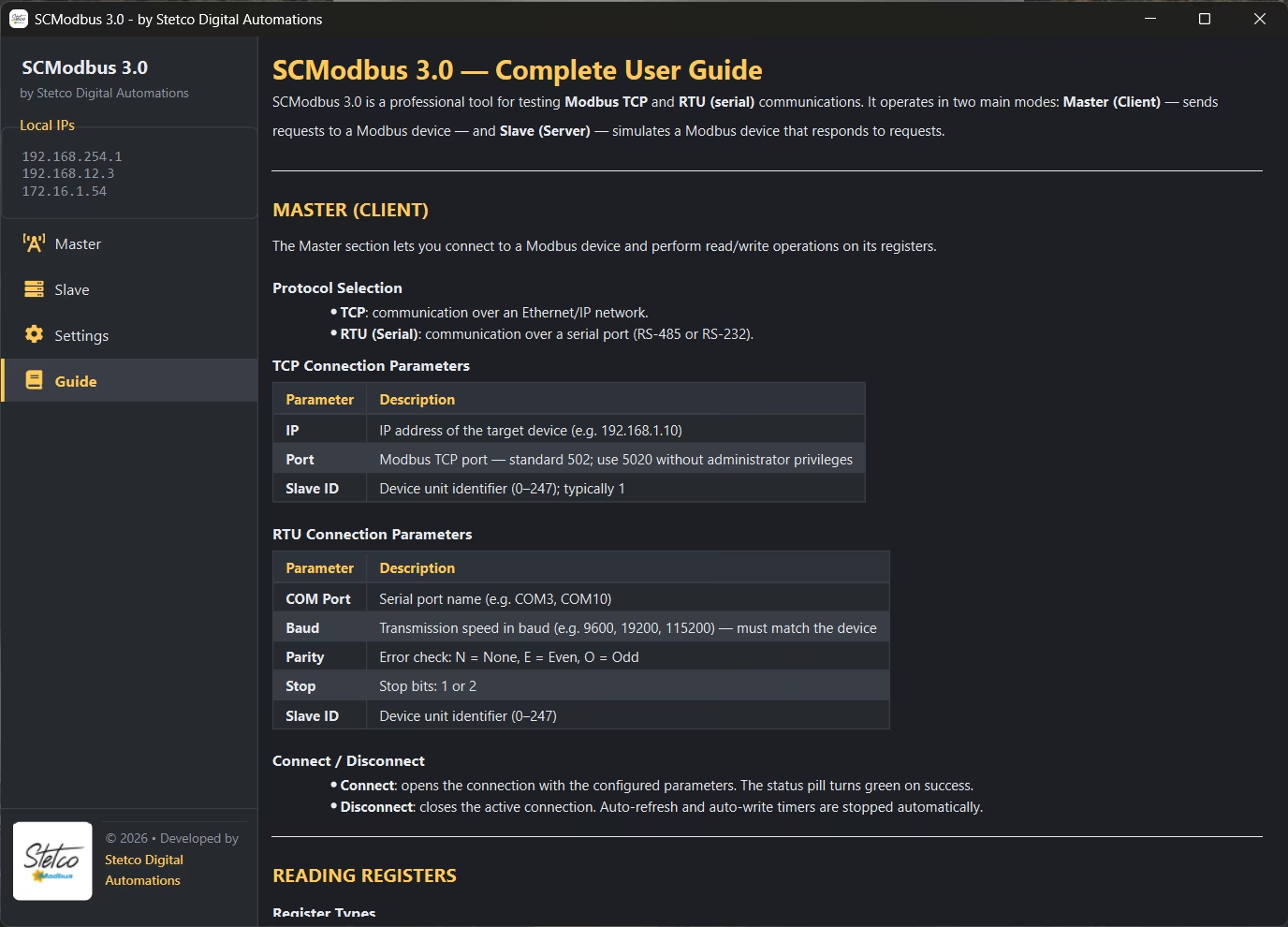
A complete reference is embedded directly in the application. No need to open a browser or search for documentation — tutorials, parameter tables, and quick-start sections are always one click away from the sidebar.
Interface Gallery

Local IP Display
The sidebar always shows all local IP addresses detected on the machine. This makes it instant to know which address to use when starting a Slave server or when a remote Master needs to connect to this PC.
Four-Section Menu
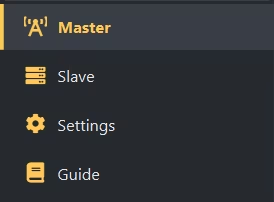
The left sidebar provides instant one-click navigation between the four main areas: Master, Slave, Settings, and Guide. The active section is always highlighted, keeping orientation clear at a glance.

Row Management Controls
The multi-write table comes with three dedicated buttons — Add row, Remove row, and Clear — allowing you to build, modify, and reset the write sequence without friction before executing the full batch.

Format Selector
A single dropdown exposes all five supported data types: int16, uint16, int32, uint32, and float32. Switching format immediately changes how the tool reads, writes, and decodes register values.

TCP / RTU Protocol Selector
Both the Master and Slave pages share the same protocol dropdown. Selecting TCP reveals the IP and port fields; selecting RTU (Serial) swaps them for COM port, baud rate, parity, and stop bits.

Full Settings Page
The Settings page groups all global parameters in one view: connection timeout, register encoding, polling interval, appearance theme, and language. Every value is persisted automatically via QSettings.

English / Italian Interface
The application supports two interface languages: English and Italian. Changing the language triggers an automatic restart prompt so the new locale takes effect immediately on the next launch.

Standalone Windows EXE
SCModbus 3.0 is distributed as a single self-contained executable compiled with PyInstaller. No Python installation, no dependency management — just double-click and run on any Windows machine.
Common Use Cases
From quick network checks to complex register diagnostics, SCModbus fits naturally into any Modbus workflow.
Need to log & report Modbus data automatically?
SCModbus 3.0 is ideal for testing and diagnostics. If you also need to record every reading, save to CSV / Excel / database, and auto-generate branded PDF reports per production lot, check out SCModbus Report — the companion tool built for continuous industrial acquisition.
Interested in a Custom Desktop Tool?
SCModbus 3.0 is a real-world example of how complex industrial communication protocols can be wrapped in a fast, user-friendly application. Let’s build yours.