SC OpenVPN Configurator — No Command Line, Full Control
A Windows desktop application that guides you through the entire OpenVPN setup: create the PKI and Certificate Authority, configure server and client parameters, and generate ready-to-use server.ovpn and client.ovpn files — without opening a terminal once.
Single license • 72h email support response • Download link sent by email

What is SC OpenVPN Configurator?
SC OpenVPN Configurator is a C# / WPF desktop application for Windows that replaces the entire OpenVPN command-line setup with a clean, guided graphical interface. From initialising the PKI with EasyRSA to generating certificate-embedded client profiles, everything is done with clicks — in any of 12 supported languages.
Typical Workflow
From a fresh Windows install to a working VPN in six guided steps.
Settings: Paths & Language
The Settings page auto-detects the standard OpenVPN and Git installation paths. Every value is editable and persisted to a JSON file in the user profile so the app is ready immediately on every launch.
Installation Path Configuration
The app locates EasyRSA, the OpenVPN binary folder, and bash.exe automatically on first launch. All paths are displayed in editable fields so you can point to non-standard installations.
- EasyRSA path (default:
C:\Program Files\OpenVPN\easy-rsa) - OpenVPN bin path for generating ta.key
- bash.exe — auto-detected from Git for Windows
- Output directory for generated .ovpn files
- All settings saved to
~\.openvpn_configurator.json

12-Language Interface
Select your preferred language from the dropdown. The choice is saved immediately and applied on the next launch. All interface strings, labels, and help text are fully translated for each of the 12 supported locales.
- English, Italian, Spanish, German
- Russian, Romanian, Chinese, Hindi
- Portuguese, Dutch, French, Japanese
- Language code persisted in config JSON

PKI & CA: One Click to Full Infrastructure
The PKI & CA page drives EasyRSA entirely through the GUI. Initialise the Public Key Infrastructure, build the Certificate Authority, generate Diffie-Hellman parameters, and create the TLS authentication key — individually or all at once.
EasyRSA Without the Terminal
Each PKI operation has its own dedicated button with a clear label showing exactly which EasyRSA command it runs. The output is streamed to the integrated log panel in real time.
- init-pki — initialises the PKI directory structure
- build-ca — creates the Certificate Authority (nopass option)
- gen-dh + ta.key — Diffie-Hellman params & TLS auth key
- Run ALL — executes all three steps in sequence
- Check PKI status — lists issued certificates
Note: init-pki removes all existing certificates. Use it only on first setup or when rebuilding the PKI from scratch.

Server Page: Every Parameter, No Guessing
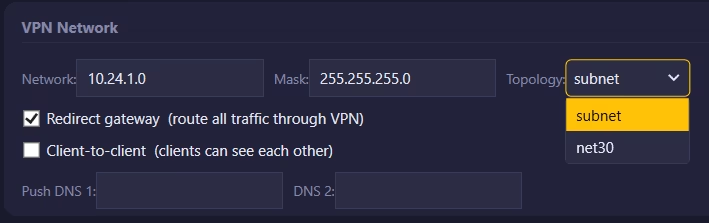
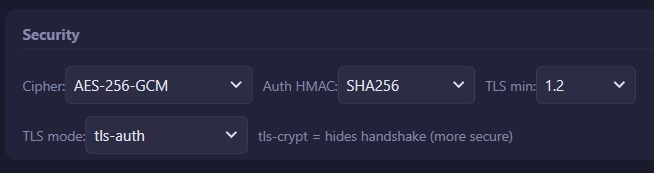
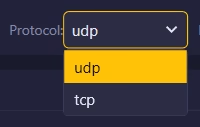
The Server page organises all server.ovpn parameters into four logical cards: Connection, VPN Network, Security, and Advanced Options. Generate the server certificate and the complete configuration file in one click.



Client Page: One File, Ready to Connect
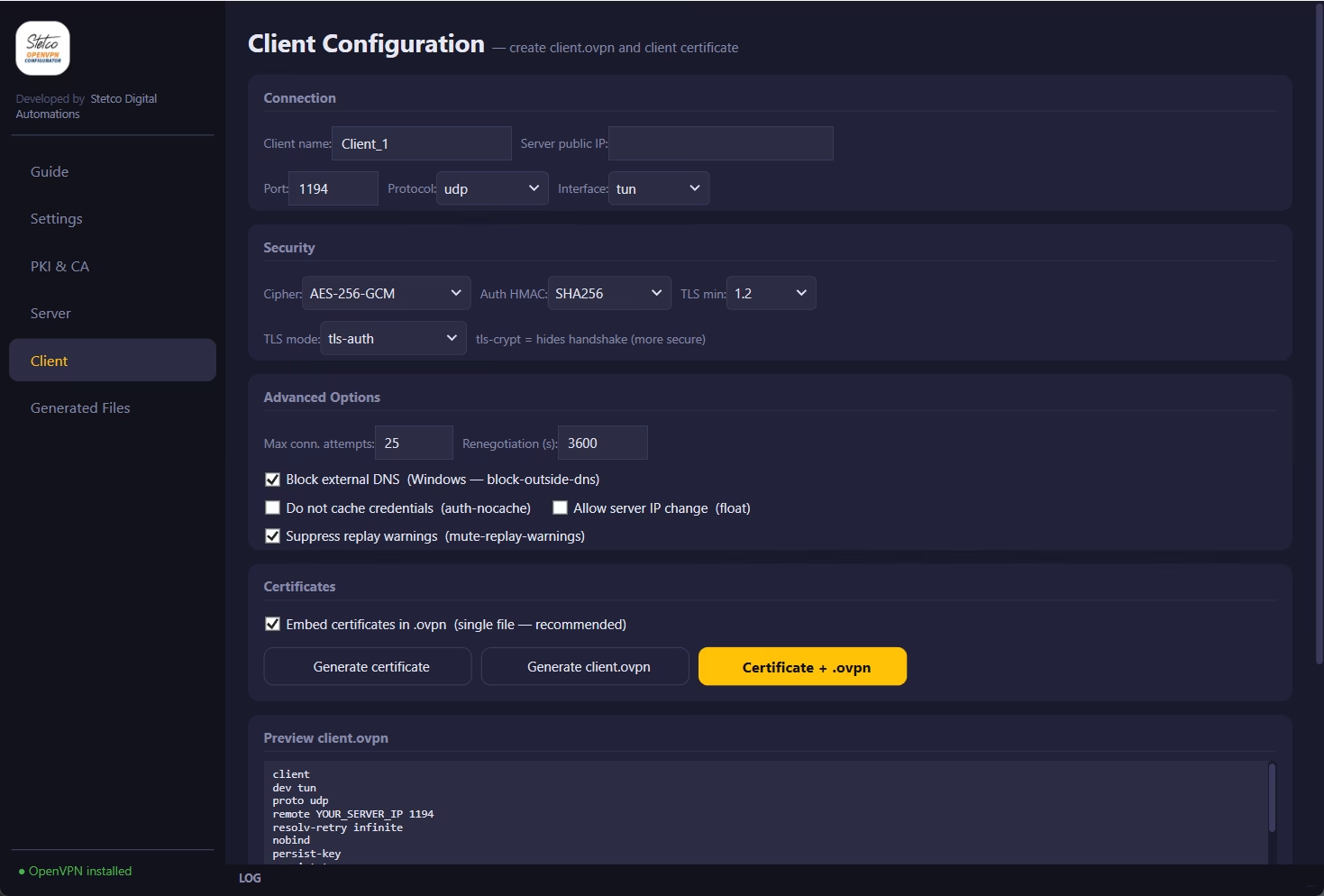
The Client page generates per-device OpenVPN profiles. Security settings are synchronised automatically from the server configuration, so every client stays consistent. Choose inline certificates for a single portable .ovpn file that works on any OpenVPN-compatible device.
Client Identity & Server Address
Enter the client name (which becomes the certificate common name) and the public IP or hostname of the VPN server. Port and protocol sync automatically from the server settings, eliminating mismatches.
- Client name → certificate CN
- Server public IP / hostname
- Port & protocol auto-synced from server

Cipher & TLS Settings
Cipher, HMAC auth, TLS minimum version, and TLS mode are automatically mirrored from the server configuration. This guarantees client and server always agree on security parameters without manual duplication.
- Cipher synced from server (AES-256-GCM, etc.)
- Auth HMAC: SHA256 / SHA512 (synced)
- TLS min version & tls-auth/tls-crypt (synced)

Client-Side Options
Fine-tune behaviour for each client profile: block external DNS on Windows, suppress cached credentials, allow server IP roaming, and control connection retry behaviour.
-
block-outside-dns— blocks DNS leaks on Windows -
auth-nocache— no credentials stored in memory -
float— server IP change tolerance - Max reconnect attempts & renegotiation interval

Inline vs. Separate Files
Choose between two certificate embedding modes. Inline is recommended for most deployments: it produces a single self-contained .ovpn file with all keys embedded, ideal for distributing to end users.
- Inline (recommended) — embeds ca.crt, client.crt, client.key, ta.key directly in the .ovpn
- Separate files — generates ca.crt, client.crt, client.key, ta.key as individual files
- nopass option for the client certificate

Generated Files: Inspect & Deploy
The Generated Files page gives a structured view of both the PKI directory and the output folder. See every issued certificate, locate the ready-to-use .ovpn files, and open folders directly in Windows Explorer.
PKI Directory & Output Folder
Two sections in one page: the PKI directory listing (ca.crt, dh.pem, ta.key, and all issued certificates) and the output directory where finished .ovpn files are copied for distribution.
- PKI directory: ca.crt, dh.pem, ta.key, certificate list
- Output directory: server.ovpn and all client.ovpn files
- “Open folder in Explorer” button for each section
- Refreshes automatically after each generation step

System Requirements
SC OpenVPN Configurator is a standalone Windows application with minimal dependencies.
| Requirement | Details | Notes |
|---|---|---|
| Operating System | Windows 10 / Windows 11 | 64-bit recommended |
| OpenVPN | Version 2.7.4 | Downloadable from the app’s Download page |
| Git for Windows | Any recent version | Provides bash.exe required for EasyRSA; auto-detected |
| EasyRSA | Bundled with OpenVPN 2.7.4 | Default path: C:\Program Files\OpenVPN\easy-rsa |
| License | €100 one-time | Permanent usage rights, no subscription |
Interface Gallery
Full Client Page
The complete client configuration page with all four cards visible: connection details, security settings (auto-synced from server), advanced options, and certificate embedding mode.
PKI & CA Page
All EasyRSA operations in one view. Individual step buttons let advanced users run each command separately; the “Run ALL” button covers 99% of use cases with a single click.
Path Configuration
EasyRSA, OpenVPN bin, bash.exe, and output directory are all configurable. Paths are detected automatically on first run so most users never need to touch this page.
Cipher & TLS Configuration
Modern cipher choices (AES-256-GCM, CHACHA20-POLY1305), HMAC authentication, and TLS version controls. Selecting tls-crypt instead of tls-auth hides the TLS handshake for an extra layer of obfuscation.
Advanced Server Options
Keepalive ping/timeout, session renegotiation interval, maximum simultaneous clients, compression algorithm, duplicate-CN for multi-device users, and persistent IP pool for returning clients.

Integrated Log Output
A collapsible log bar at the bottom of the window streams the output of every EasyRSA and OpenVPN command in real time. Click to expand when you need to see exactly what ran.

OpenVPN Install Status
The sidebar footer checks whether OpenVPN is installed on the system. If it is, the Download page is automatically hidden from the navigation so the interface stays uncluttered.
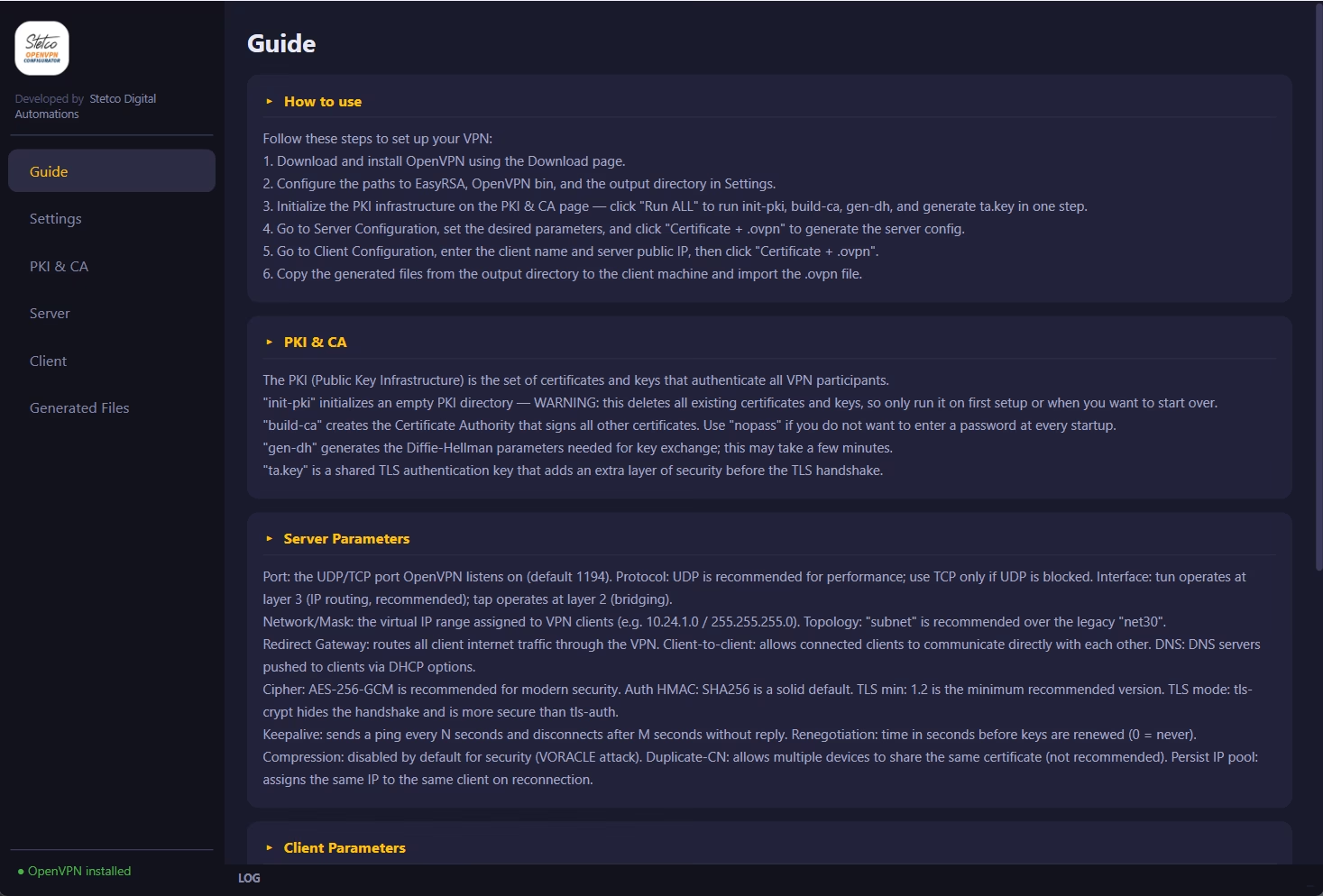
Built-In Help & Guide
A full reference guide is embedded directly in the application and translated into all 12 supported languages. Step-by-step instructions and parameter explanations are always one click away in the sidebar.
12-Language Support
The language dropdown covers English, Italian, Spanish, German, Russian, Romanian, Chinese, Hindi, Portuguese, Dutch, French, and Japanese. The entire UI, including the embedded guide, switches language on restart.
Common Use Cases
Anyone who needs to set up or manage an OpenVPN server benefits from a guided visual workflow.
Ready to Set Up Your VPN?
Download SC OpenVPN Configurator and generate your first server and client profiles in under 10 minutes — no command line, no guesswork.