Quest 3 vs Apple Vision Pro: Is It Really Worth 6x the Price?
Two mixed reality headsets dominate current discussions: Meta’s Quest 3 and Apple’s Vision Pro. On paper, the Vision Pro costs around six times more than Quest 3, which raises a simple but important question: does it deliver six times the value? This article walks through a practical, real-world comparison so you can decide which device fits your budget, expectations, and everyday use cases.
Quest 3 vs Apple Vision Pro: Framing the Real Question
Putting the Meta Quest 3 next to Apple Vision Pro can feel like comparing a solid family car with a luxury sports coupe. Both will get you where you’re going, but the experience, build, and price are dramatically different. Instead of asking which headset is “best”, it’s more useful to ask: for what, and for whom?
With the Vision Pro costing roughly six times more than the Quest 3, the key issue is not specs alone but value: what do you actually gain in everyday use for that price jump, and when is the cheaper option already more than enough?
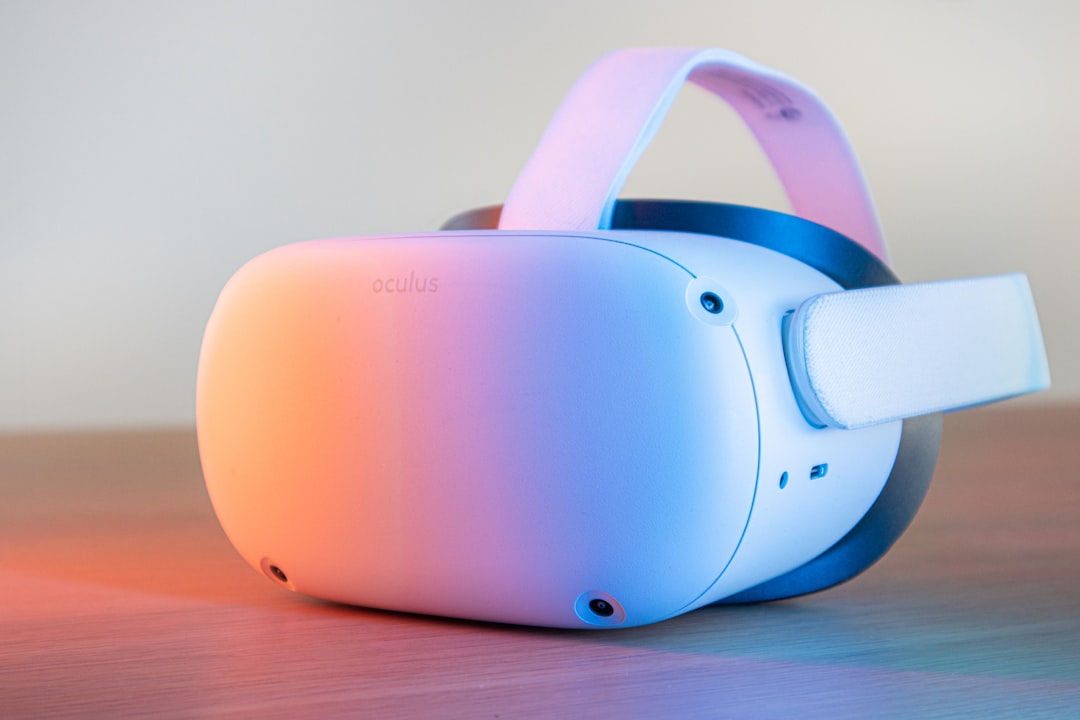
Price and Total Cost of Ownership
The most striking difference is cost. Quest 3 sits in what most people would call a consumer-friendly price range, while Apple Vision Pro is priced as a premium, early‑generation spatial computer.
Upfront Purchase Cost
- Quest 3: Positioned as an accessible mixed reality device, suitable for first-time VR buyers, families, and hobbyists.
- Apple Vision Pro: Priced as a high-end personal computer replacement or productivity device, not a casual toy.
Even without exact numbers, the 6x multiple means you could buy several Quest 3 headsets for the price of a single Vision Pro. For multi-user households, that alone is a major deciding factor.
Hidden and Ongoing Costs
- Content and apps: Paid games and apps accumulate costs on both platforms, but for most buyers these stay a small fraction of hardware price.
- Accessories: Head straps, cases, battery packs, and prescription inserts can quickly add up, especially on the more premium device.
- Longevity: If you expect to upgrade often, investing in the most expensive first‑gen hardware may not yield proportional long-term value.
From a pure budget perspective, Quest 3 is the “low-risk experiment” into VR and mixed reality. Vision Pro is a commitment.
Comfort, Design, and Everyday Wearability
If a headset isn’t comfortable, you simply won’t use it often enough to justify the cost—no matter how impressive the specs look on paper.
Design Philosophy
- Quest 3: Focuses on being lightweight and versatile for gaming and casual mixed reality, with a design that prioritizes freedom of movement.
- Vision Pro: Emphasizes premium materials and a sleek, futuristic aesthetic that aligns with Apple’s broader product line.
Apple’s approach feels closer to a wearable computer designed for extended sessions, while Quest 3 feels like a console you put on when you want entertainment or occasional productivity.
Fit and Session Lengths
Comfort is highly individual, but several trends emerge:
- Quest 3’s lighter weight and gamer‑oriented design work well for active, shorter sessions.
- Vision Pro, despite its premium build, may feel heavier due to the density of components, which could affect longer wear for some users.
- Both benefit from strap adjustments and, for some users, third-party accessories that redistribute weight.
Quick Fit Optimization Checklist
1) Adjust the head strap so the lenses sit level with your eyes. 2) Tighten only until stable—over‑tightening causes forehead pressure. 3) Take a 5‑minute break every 30–40 minutes. 4) If you wear glasses, look into prescription inserts; they often improve both comfort and clarity.
Visual Quality and Mixed Reality Experience
Visual fidelity is where the price gap becomes most obvious. Vision Pro targets ultra‑sharp visuals suitable for reading fine text and running full desktop‑class apps in a 3D workspace. Quest 3 delivers solid graphics that comfortably handle gaming, video, and most mixed reality content without trying to replace your main computer.
Clarity and Text Legibility
- Vision Pro: Prioritizes extremely high pixel density and optical quality, enabling detailed interfaces and multiple floating windows.
- Quest 3: Sharp enough for menus, casual browsing, and in‑app reading, but not primarily built as a full-time monitor replacement.
If your goal is “spatial desktop” or intensive productivity, the quality gap matters more. For immersive games and media, Quest 3’s visuals already feel impressive to most users.
Passthrough and Mixed Reality
Both headsets blend digital objects into your physical environment, but with different emphasis:
- Vision Pro leans into seamless, high-fidelity passthrough to support persistent apps, windows, and spatial computing interfaces.
- Quest 3 aims to enhance traditional VR with mixed reality features—think games that use your living room walls or fitness apps that overlay stats in your space.
The more you plan to work, design, or create in MR for long stretches, the more Vision Pro’s visual polish matters. For playful, interactive experiences, Quest 3’s mixed reality capabilities already feel transformative.
Interaction: Controllers vs Hands and Eyes
Input methods shape how natural a headset feels day to day.
Controller-Centric vs Hand and Eye Input
- Quest 3: Ships with physical controllers that are excellent for gaming, precise pointing, and gesture‑based experiences; hand tracking exists but is secondary.
- Vision Pro: Designed from the ground up for hand tracking, eye tracking, and subtle gestures, with no default gaming controllers.
For immersive games and fitness apps, physical controllers offer reliable, tactile input. For productivity and media, hands‑and‑eyes interaction can feel more magical and intuitive—particularly on Vision Pro’s high‑fidelity interface.
Content Ecosystem and App Libraries
A headset lives or dies by what you can actually do with it. This is where the histories of Meta and Apple diverge.
Quest 3: Gaming and Entertainment Powerhouse
- Large catalog of VR games, social experiences, and fitness titles.
- Plenty of experimental mixed reality apps that take advantage of room‑scale tracking.
- Streaming apps and 360° media for immersive movie nights and exploration.

Vision Pro: Spatial Computing and Productivity
- Focus on productivity hubs, creative tools, and high‑resolution media experiences.
- Integration with existing Apple services and app ecosystem, from productivity to entertainment.
- Early but growing library of native spatial apps exploring new interface patterns.
Quest 3 is the obvious choice if top‑tier VR games or fitness apps are your primary interest. Vision Pro appeals more to early adopters who want to experiment with spatial workflows and high‑end media consumption.
Use Cases: Who Each Headset Is Really For
Thinking in terms of specific scenarios makes the value question clearer. Here’s how the two devices line up for common use cases.
| Use Case | Quest 3 | Apple Vision Pro |
|---|---|---|
| VR Gaming | Excellent – broad catalog and controller support | Limited – not gaming‑first |
| Media & Movies | Great cinematic experiences | Premium, high‑fidelity viewing |
| Productivity | Good for occasional remote desktop & tools | Designed for spatial workspaces & multitasking |
| Family & Guests | Affordable, fun, easy to share | High price makes casual sharing less likely |
| Developers & Experimentation | Great for VR/MR prototypes and games | Ideal for exploring spatial computing UIs |
Practical Scenarios
- Living-room gaming: Quest 3 clearly offers better value with a focused gaming ecosystem and controllers.
- Solo cinema and media: Both work; Vision Pro adds polish at a premium, Quest 3 gives “big screen” immersion for far less.
- Portable workspace: Vision Pro’s visuals and interaction are better suited to running multiple apps and windows around you.
- Fitness and movement: Quest 3’s lighter weight and controllers work well for active titles.
- Showing VR to friends: Replacing a dropped controller is far cheaper than dealing with damage to a 6x‑priced device, making Quest 3 the social choice.
Is Apple Vision Pro Really Worth 6x the Price?
Whether Vision Pro justifies its premium depends on what you prioritize. It doesn’t offer six times the frames per second or six times the resolution, but it can deliver a meaningfully different type of experience.
When Vision Pro Makes Sense
- You want a cutting‑edge spatial computer more than a gaming console.
- You’re deeply invested in Apple’s ecosystem and value tight integration.
- You plan to use the headset for work, design, or long sessions of focused productivity.
- Budget is flexible, and you’re comfortable paying for early access to a new computing platform.
When Quest 3 Is the Smarter Buy
- You mainly care about VR gaming, fitness, and entertainment.
- You want to introduce family or friends to VR without financial anxiety.
- You’re exploring mixed reality for fun or side projects, not as your primary work tool.
- You prefer a lower‑risk entry into the space, expecting to upgrade in a few years as the market matures.
How to Decide in Under 5 Minutes
If you’re on the fence, walk through this mini‑framework and answer honestly.
Decision Framework
- Define your primary goal. Write down one main reason you want a headset: gaming, movies, work, or experimentation.
- Set a hard budget. Decide what you can comfortably spend without regret in two years.
- Estimate weekly use. Realistically, how many hours per week will you wear it?
- Match to ecosystem. Consider which ecosystem (Meta or Apple) better fits the devices and services you already use.
- Score each device. On a scale of 1–10, rate each headset on: value, comfort, content, and fit with your main goal. Go with the higher total.
If your main goal is gaming or casual fun, Quest 3 will almost always win this exercise. If your main goal is exploring the frontier of spatial computing and you’re comfortable paying for that privilege, Vision Pro becomes easier to justify.
Final Thoughts
Quest 3 and Apple Vision Pro answer different questions. Quest 3 asks, “How can we make immersive VR and mixed reality fun and accessible to nearly everyone?” Vision Pro asks, “What happens if a headset tries to be a primary computer, no matter the price?”
For most people, Quest 3 delivers the better price‑to‑smile ratio. It’s affordable, flexible, and surrounded by a strong gaming and entertainment ecosystem. Vision Pro, meanwhile, is for early adopters and professionals who want to live at the leading edge of spatial computing and are willing to pay significantly more to do so.
In that sense, Vision Pro is not six times better than Quest 3—but for the right person with the right use case, it can feel uniquely capable in ways the cheaper headset simply doesn’t try to match. The key is to be clear about which problems you want your headset to solve before you reach for your wallet.
Editorial note: This article is an independent, general comparison based on publicly discussed capabilities and typical use cases. For more perspectives on virtual reality and mixed reality headsets, visit the original source at vr.org.