The 8 Best Website Builders for Small Businesses
Your website is often the first experience customers have with your business, so choosing the right website builder really matters. The challenge is that there are dozens of platforms, each promising to be the easiest, cheapest or most flexible. This guide narrows the field to eight popular types of website builders that work well for small businesses, then explains how to choose the one that matches your goals, skills and budget. By the end, you’ll know what features to look for, what trade-offs to expect and how to get online without wasting time or money.
Why Your Small Business Needs the Right Website Builder
A website builder is a tool that lets you create a website without needing to code it from scratch. For small business owners, this can be the difference between launching a professional site in a weekend and waiting months for a custom build. The right platform helps you manage content, showcase your services or products, take bookings or payments, and update your site yourself as your business grows.
However, not all website builders are created equal. Some excel at simple brochure-style sites, others focus on online stores, and a few are built for service-based businesses that rely on bookings and appointments. Understanding these differences will help you pick a platform that supports your goals instead of holding you back.
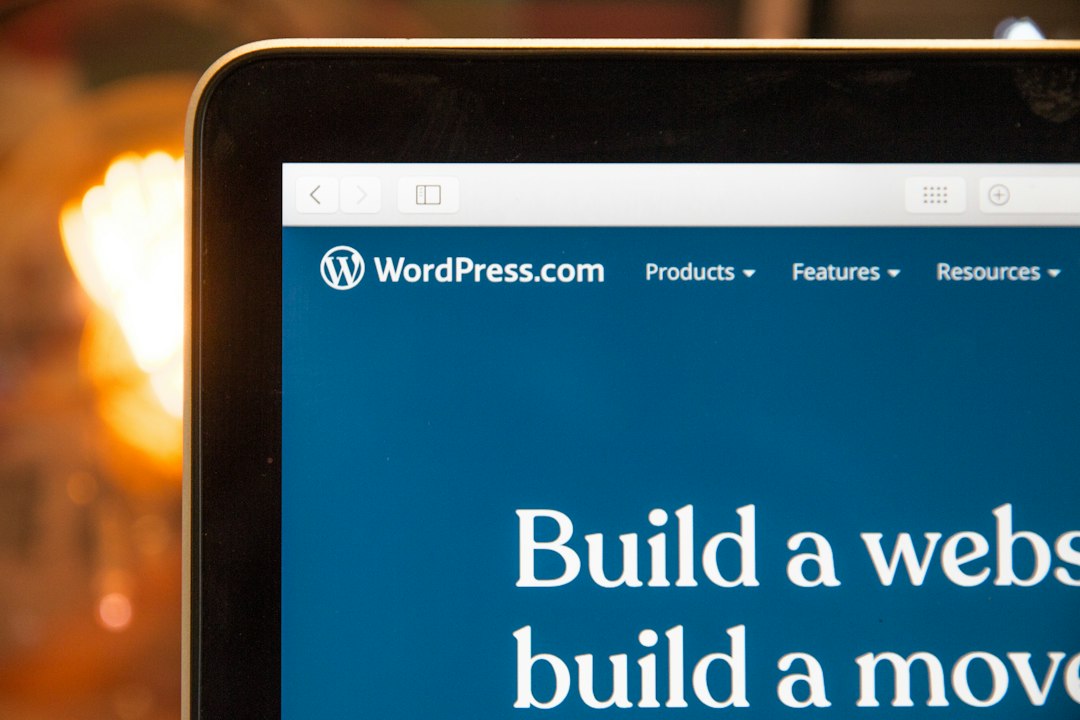
The 8 Main Types of Website Builders for Small Businesses
Different platforms often overlap in features, but most fall into one of eight broad categories that suit small businesses particularly well:
- All-purpose drag-and-drop builders – user-friendly tools for most brochure-style business sites.
- Design-focused visual builders – for brands that care deeply about look and feel.
- Pure e-commerce builders – built from the ground up for online sales.
- Service and booking-focused builders – for salons, coaches, trades and professional services.
- Blog- and content-first builders – for content-heavy or SEO-driven businesses.
- AI-assisted website builders – newer tools that generate pages from prompts.
- Self-hosted CMS builders – flexible but more technical, like WordPress-style setups.
- Single-page and landing page builders – for lean, conversion-focused sites.
Below, we’ll look at each type, the kind of small business it suits best, key features to look for, and the trade-offs you should be aware of.
1. All-Purpose Drag-and-Drop Website Builders
All-purpose drag-and-drop builders are often the first stop for small businesses. They focus on simplicity: choose a template, customise text and images, drag in sections like contact forms or galleries, and publish.
Best For
- Local service businesses (plumbers, electricians, cleaners).
- Small restaurants, cafés and food trucks.
- Solo professionals like tutors, photographers and therapists.
- Any small business needing a simple “online brochure” style site.
Key Strengths
- Ease of use: Visual editing that feels similar to working in a presentation tool.
- All-in-one solution: Hosting, security, templates and sometimes domain registration in one place.
- Low upfront cost: Usually an affordable monthly subscription instead of a big build fee.
- Pre-built sections: Hero banners, testimonials, FAQs and contact forms ready to drop in.
Limitations
- Less flexibility if you need complex custom features or integrations.
- Template-based designs can look similar to other sites using the same builder.
- Some cheaper plans limit storage, bandwidth or advanced marketing tools.
2. Design-Focused Visual Website Builders
Design-focused builders are aimed at users who care a lot about visual identity and layout control. They tend to offer more precise control over spacing, animation and responsive design, making them popular with designers and creative businesses.
Best For
- Creative agencies and studios.
- Architects, interior designers and photographers.
- Premium product brands that need a polished visual presence.
- Small businesses with a strong brand and access to good imagery.
Key Strengths
- Pixel-level control: Fine-tune layouts across desktop, tablet and mobile.
- Rich visual effects: Animations, transitions and interactive elements.
- Brand consistency: Better management of fonts, colours and reusable components.
Limitations
- Generally steeper learning curve than basic drag-and-drop tools.
- Can encourage over-designed sites that load slowly if not used carefully.
- Sometimes more expensive than entry-level builders.
Quick Rule of Thumb
If your business wins or loses customers on first impression (for example, premium creative services or high-end products), a design-focused builder is worth the extra learning. If you mainly need clarity and convenience, a simpler all-purpose builder is usually enough.
3. Pure E-commerce Website Builders
E-commerce builders are designed for businesses that intend to sell products online as a primary revenue stream. Instead of starting with pages and then adding a store section, these platforms put the product catalogue, checkout and inventory at the centre.

Best For
- Product-based businesses (clothing, homeware, beauty, food).
- Brick-and-mortar shops expanding into online sales.
- Entrepreneurs planning to sell across social media and marketplaces.
- Businesses needing more advanced inventory or shipping options.
Key Strengths
- Robust product management: Variants, stock tracking, categories and collections.
- Secure checkout: Payment gateways, tax handling and order emails out of the box.
- Sales-focused features: Discount codes, gift cards, abandoned cart emails and more.
- Multi-channel selling: Integrations with social platforms and marketplaces.
Limitations
- Often higher monthly costs and extra fees for some payment options.
- More complex initial setup (shipping zones, tax rules, product data).
- May be overkill if you only sell a handful of items occasionally.
4. Service and Booking-Focused Builders
Service businesses need more than just a contact form. If your revenue depends on appointments, classes or consultations, using a website builder with integrated booking can save you hours every week and reduce no-shows.
Best For
- Hairdressers, barbers and beauty salons.
- Gyms, yoga studios and fitness instructors.
- Consultants, coaches and therapists.
- Trades and home services that do on-site visits.
Key Strengths
- Integrated booking: Customers can see availability and reserve slots directly.
- Automated reminders: Email or SMS reminders to cut down on missed appointments.
- Payment at booking: Take deposits or full payment upfront to improve cash flow.
- Calendar syncing: Connect to personal calendars to reduce double-bookings.
Limitations
- Booking features sometimes locked behind higher-tier plans.
- Less suited to content-heavy or complex e-commerce requirements.
- Changing booking systems later can be disruptive for regular clients.
5. Blog- and Content-First Website Builders
Some small businesses rely heavily on content marketing and search engine optimisation (SEO) to generate leads. For these, blog- and content-first builders offer stronger tools for managing articles, categories and search visibility.
Best For
- Consultants and B2B service providers building authority via content.
- Local businesses wanting to dominate search results for information queries.
- Educational businesses and online course creators.
- Media-style sites with frequent updates, news or guides.
Key Strengths
- Powerful blogging tools: Categories, tags, authors and scheduled publishing.
- SEO controls: Page titles, meta descriptions, URL customisation and schema options.
- Content organisation: Better ways to group and present lots of articles or resources.
Limitations
- Sometimes more complex interfaces due to extra content management features.
- May require more time investment to publish regularly and get results.
- Not always as strong on e-commerce or advanced booking without add-ons.
6. AI-Assisted Website Builders
AI-assisted website builders are relatively new but growing quickly. They use artificial intelligence to suggest layouts, generate copy and even build full page structures based on a short description of your business.
Best For
- Owners who feel overwhelmed by blank pages and design decisions.
- Very small teams needing to launch an online presence quickly.
- Simple service or brochure sites where speed matters most.
Key Strengths
- Fast start: Answer a few questions and get a starting site in minutes.
- Copy suggestions: AI can draft text you then refine to match your voice.
- Layout guidance: Smart defaults that reduce design guesswork.
Limitations
- Generated copy is generic until you edit it carefully.
- Designs may feel "template-like" if you don’t customise them.
- Advanced features may be limited compared with mature platforms.
7. Self-Hosted CMS Website Builders
Self-hosted content management systems (CMS) give you more control and flexibility at the cost of extra technical work. Instead of paying a single company for everything, you pay separately for hosting and then install a CMS to power your site.
Best For
- Growing businesses that might outgrow basic website builders.
- Companies with access to a developer or technically confident team member.
- Sites needing custom functionality or integration with in-house systems.
- Content-heavy or multi-author sites that need sophisticated structure.
Key Strengths
- High flexibility: Wide range of themes, plugins and integration options.
- Ownership: You’re not locked into a single platform’s pricing or features.
- Scalability: Easier to expand into complex features later (membership areas, advanced search, etc.).
Limitations
- Requires more setup, maintenance and updates.
- Security and backups become your responsibility (or your host’s).
- Learning curve can be steep for non-technical business owners.
8. Single-Page and Landing Page Builders
Single-page and landing page builders focus on creating streamlined, conversion-oriented pages rather than full, multi-page sites. They’re ideal when you want to direct visitors to a specific action, like filling out a form or buying a single product.
Best For
- Start-ups validating a new product or service quickly.
- Campaign-specific pages for ads or promotions.
- Freelancers who need a simple, focused online presence.
- Businesses that sell a single core offer.
Key Strengths
- Conversion-focused design: Layouts are built to drive a specific action.
- Fast setup: You can often launch a page in a day.
- Optimisation tools: A/B testing and analytics features are common.
Limitations
- Not ideal for businesses needing rich navigation and multiple service pages.
- Harder to build deep SEO visibility with a single page alone.
- Can eventually need migration to a fuller site as you grow.
Comparing Website Builder Types for Small Businesses
To help you narrow your choices, here’s a high-level comparison of these eight categories from a small business perspective.
| Builder Type | Best For | Ease of Use | Design Flexibility | Scalability |
|---|---|---|---|---|
| All-purpose drag-and-drop | General small business sites | Very easy | Moderate | Moderate |
| Design-focused visual | Brand-driven, creative businesses | Medium | High | High |
| Pure e-commerce | Product-based online stores | Medium | Moderate | High |
| Service & booking-focused | Appointment-based services | Easy | Moderate | Moderate |
| Blog/content-first | Content and SEO-led businesses | Medium | Moderate | High |
| AI-assisted | Very small or time-poor teams | Very easy | Low–Moderate | Moderate |
| Self-hosted CMS | Growing and complex sites | Harder | High | Very high |
| Single-page/landing | Campaigns & simple offers | Easy | Moderate | Low–Moderate |
Key Features Small Business Owners Should Look For
Once you have a sense of which type of builder fits your business, compare specific platforms based on concrete features. These are the essentials most small businesses should check.
1. Mobile-Friendly Design
Most of your visitors will view your site on a phone. Make sure the builder offers responsive templates and lets you preview and adjust layouts on mobile and tablet.
2. Built-In SEO Tools
You don’t need advanced SEO out of the gate, but you do need basics:
- Editable page titles and meta descriptions.
- Clean, customisable URLs.
- Automatic creation of sitemaps.
- Options to add alt text to images.
3. Speed and Reliability
A slow or frequently offline website loses trust and sales. Look for platforms that mention performance, content delivery networks (CDNs) and uptime guarantees.
4. Integrated Marketing Tools
Even a basic site benefits from simple marketing features:
- Contact forms that send enquiries to your email.
- Newsletter signup forms connected to email marketing tools.
- Social media sharing and follow buttons.
- Basic analytics or integration with Google Analytics.
5. Support and Learning Resources
When you get stuck, good support matters. Check for clear documentation, tutorials and responsive chat or email support, especially during your first few weeks on the platform.
How to Choose the Right Website Builder in 7 Steps
To turn all this information into a decision, follow these steps. You can complete this process in a day or two and dramatically reduce the risk of picking the wrong platform.
- Clarify your primary goal. Decide whether your website’s main job is to get enquiries, sell products, take bookings, build an audience, or support a specific campaign.
- List your must-have features. For example: online payments, appointment booking, blog, bilingual content, or members-only areas. Separate “must-haves” from “nice-to-haves.”
- Match a builder type to your goal. Use the eight categories above to pick 1–2 builder types that make sense for your business model.
- Shortlist specific platforms. Choose 2–3 actual builders within that type based on pricing, reviews and example sites similar to your business.
- Test with a single real page. Most platforms offer free trials or starter plans. Build one key page (typically your home page or a landing page) and see how it feels.
- Evaluate editing and support. Check how easy it is to update text, swap images, add new sections and contact support when you’re stuck.
- Commit for at least 12 months. Once you’ve tested and chosen, pick a plan that suits your budget and give yourself a full year to make the most of it before reconsidering.
Practical Tips for Launching a Small Business Website
Regardless of the builder you choose, a few best practices will help your site perform better from day one.
Plan Your Core Pages First
A simple, effective small business site usually includes:
- Home: Clear value proposition, key services or products, and next steps.
- About: Who you are, why you started, and what makes you different.
- Services / Products: Detailed descriptions, pricing guidance, and benefits.
- Contact: Easy ways to reach you, opening hours, and location if relevant.
- Testimonials or case studies: Social proof that builds trust.
Write Copy That Speaks to Customers
Instead of focusing on what you do in technical terms, describe the problems you solve and the outcomes customers get. Use simple language, short paragraphs and clear headings.
Use Real Photos Where Possible
Stock photography is fine when you’re starting, but real photos of your team, shop, or products build far more trust. Even photos taken on a modern smartphone can work if they’re well lit and thoughtfully framed.
Common Mistakes Small Businesses Make With Website Builders
Knowing what to avoid can save you time and produce a cleaner, more effective site.
- Overcomplicating the design: Too many fonts, colours and animations distract from your message.
- Ignoring mobile: Designing only on a laptop and never checking how pages look on a phone.
- Hiding contact details: Making visitors work to find your phone number, email or opening hours.
- Skipping basic SEO settings: Leaving default page titles or not adding meta descriptions.
- Relying on the default content: Not rewriting placeholder text to match your voice and audience.
Budgeting for Your Small Business Website
While some builders advertise free plans, serious business websites nearly always benefit from a paid subscription. Here’s how to think about costs.
Typical Monthly Expenses
- Website builder plan: Entry-level to mid-tier plans usually sit in a modest monthly range, with higher tiers for advanced e-commerce or bookings.
- Domain name: Often billed annually but works out to a small monthly equivalent.
- Email marketing tool: Free for small lists, then increasing with volume.
- Optional add-ons: Premium templates, booking extensions, SEO tools or stock imagery.
Balancing Cost and Value
Focus less on shaving off a few units of currency per month and more on the time and revenue impact. If a slightly more expensive builder saves you hours of frustration, or includes booking and reminder tools that reduce no-shows, it can quickly pay for itself.
Final Thoughts
Choosing a website builder for your small business is less about finding the single “best” platform and more about finding the best fit for your goals, skills and stage of growth. Whether you need a simple brochure site, a full online store, or a streamlined booking system, there is a builder category tailored to that need.
Start by defining what success looks like for your website over the next 12 months, then use the eight types outlined here to narrow your options. Test two or three platforms on a real page, see how they handle your day-to-day tasks, and then commit to one so you can focus on growing your business rather than constantly rebuilding your site.
Editorial note: This article provides general guidance on common website builder types and how they serve small businesses. For more small business insights, visit the original publisher at smallbusiness.co.uk.